Renewable Energy Guide
Cybersecurity for Renewable Energy Companies: Secure Contractor Access
A contractor needs a drawing for tomorrow's visit. A support provider needs to investigate an application issue. A project partner needs access to a shared workspace for the next phase of delivery.
These are ordinary requests in renewable-energy businesses. The problem develops when access outlasts the assignment, spreads beyond the required information, or depends on a shared account nobody clearly owns.
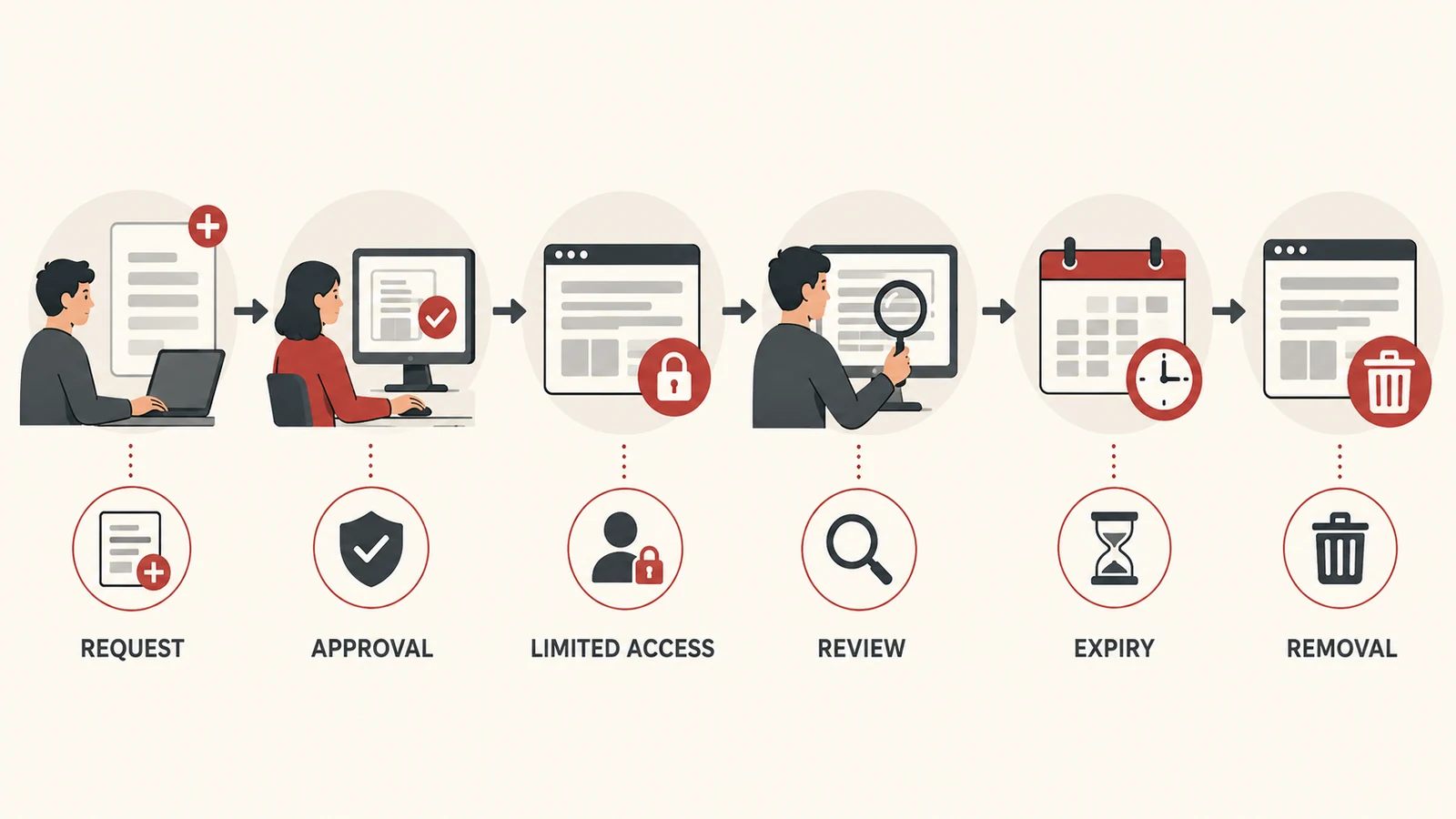
Secure contractor access starts with a repeatable lifecycle: request, approval, appropriate access, review, and removal. The aim is to help people do the assigned work while making responsibility and expiry visible.
This guide focuses on business accounts, devices, documents, and applications. Access to operational technology and equipment-control environments needs its own specialist design and operating procedures.

Map who can reach which systems
Start with a current list of contractors and service providers who can access business information. Include guest accounts, external document sharing, support portals, remote access services, and accounts created directly inside individual applications.
For each relationship, record the business sponsor, purpose, systems involved, and expected end date. A company name alone does not tell you which individuals have access or what they are permitted to do.
Pay attention to access created outside the usual onboarding route. A shared folder invitation or a locally created application account can be missed if the review looks only at the central user directory.
CISA's voluntary Cybersecurity Performance Goals provide a baseline for prioritising essential practices across critical infrastructure. They are a useful reference for organising improvements, rather than a substitute for your specific requirements. CISA Cybersecurity Performance Goals.
Give every assignment a business owner
Someone in your organisation should be able to explain why the access exists and confirm when it is no longer needed. That person does not have to configure the account, but they must own the business decision.
A useful request contains:
- The named individual and their employer or service provider.
- The assignment and the internal sponsor.
- The applications or documents needed.
- The actions required, such as viewing or editing.
- The expected start and end dates.
- Any additional review required for sensitive information or elevated permissions.
Make extensions explicit. An assignment running longer than expected should lead to a documented review, rather than an account continuing indefinitely because nobody changed it.
Grant access around the task
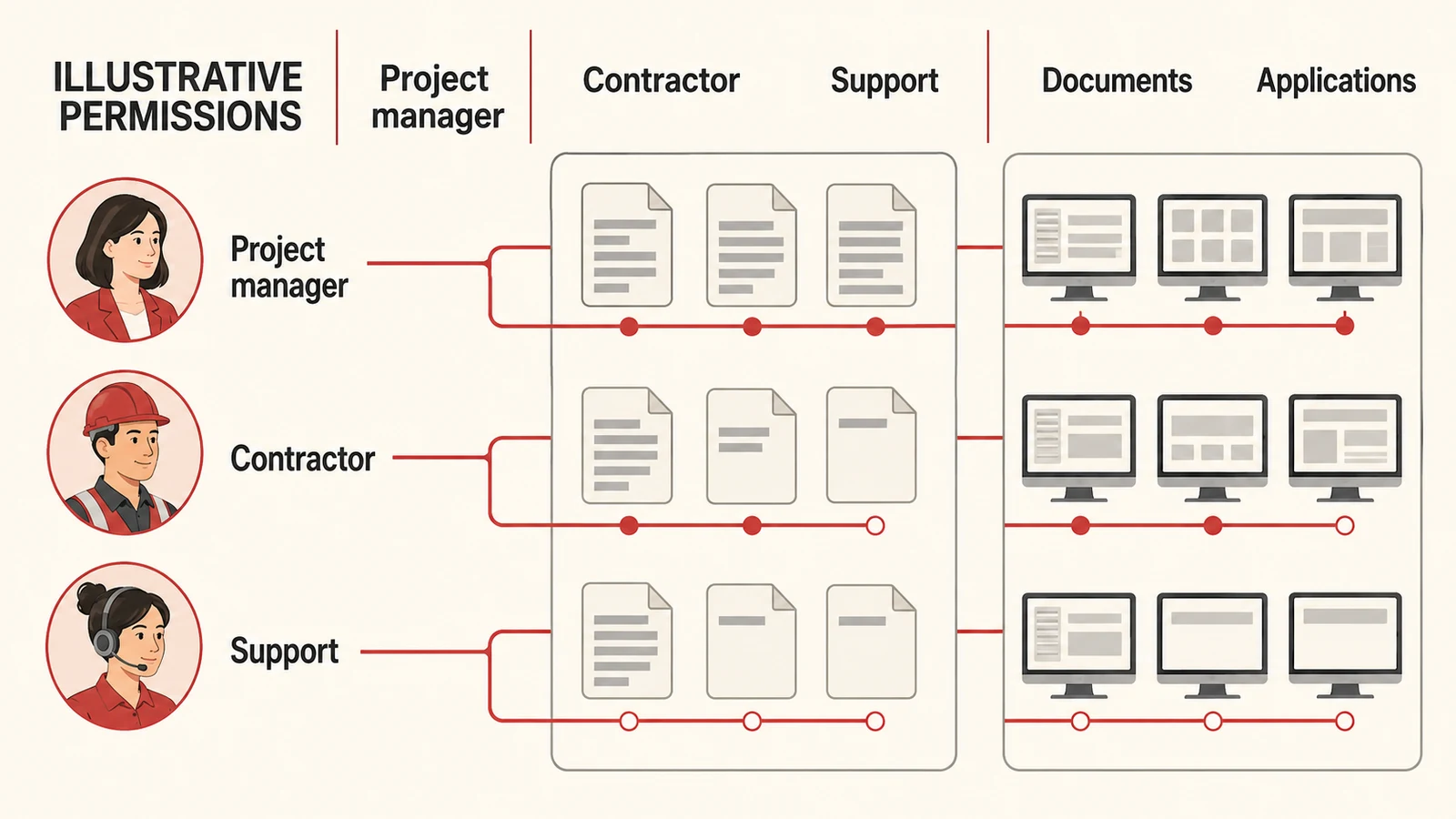
Use named accounts wherever supported and limit access to the resources required for the work. Keep ordinary collaboration separate from administrative access.
For an illustrative offshore wind project, a contractor reviewing an approved document pack may need access to one project workspace. That does not automatically justify access to every project, internal commercial files, or application administration.
Choose roles that match the required actions. “Can edit” is broader than “can read,” and permission to invite other people creates an additional sharing responsibility.
Where a service requires a non-personal integration account, document its owner, purpose, credential-management process, and permitted scope. Do not let it become an informal shared login for staff.
Check authentication and device conditions
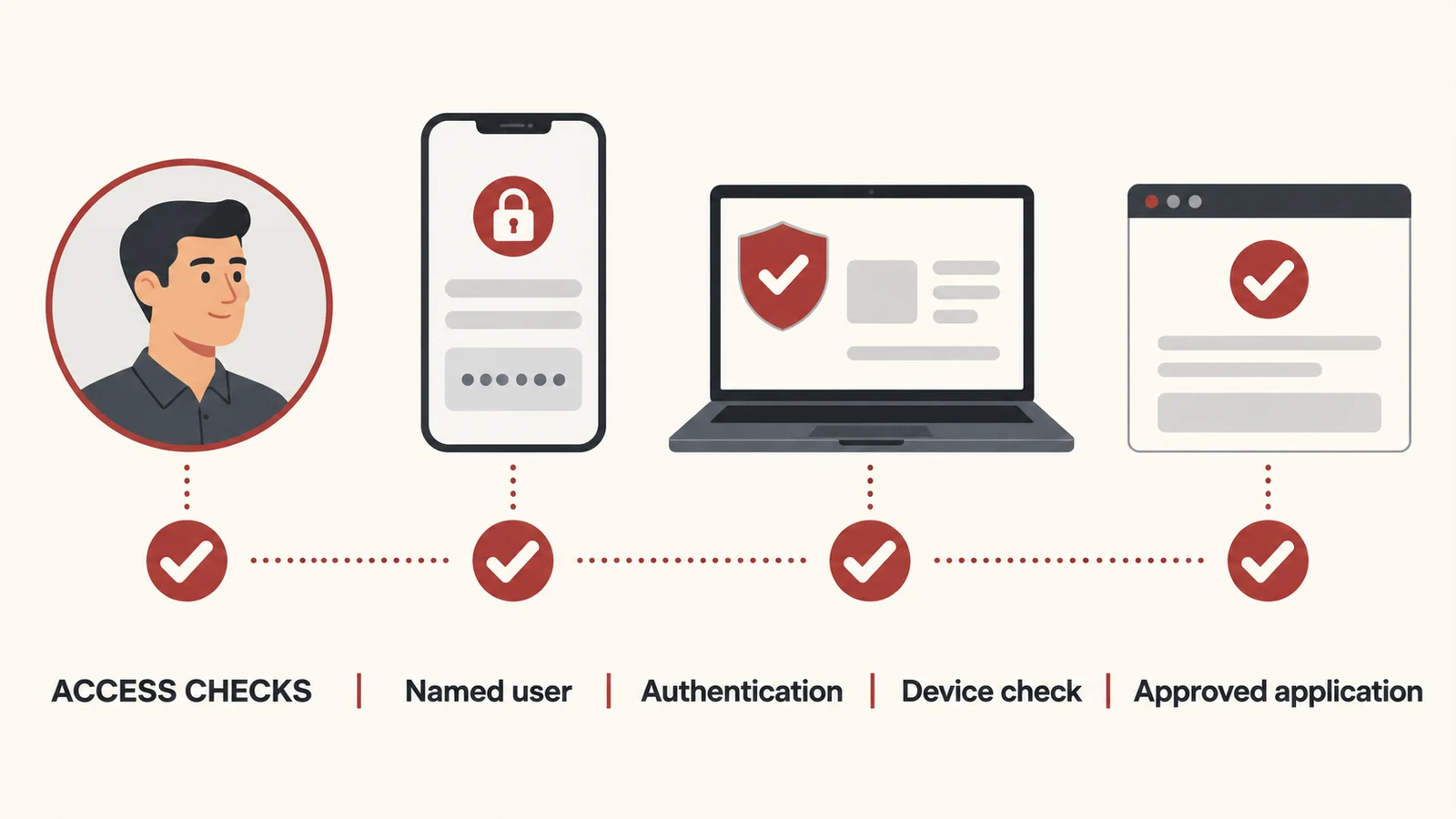
Require appropriate authentication for external access, with particular attention to privileged and remote connections. CISA recommends MFA and specifically calls for it on remote network access and privileged or administrative access. Select the strongest suitable method supported by your systems and operating needs. CISA MFA guidance.
Decide whether contractor-owned devices may access the information involved and which protections are required. Where your platform supports it, access decisions can include device condition and application restrictions.
Test these controls with the people who need them. Account recovery, device replacement, and poor connectivity can turn a theoretically sound arrangement into an improvised workaround if the support route is unclear.
Our cybersecurity baseline guide covers the broader review of business accounts, devices, data, and recovery.
Make reviews and expiry part of ordinary work
Set reviews according to the sensitivity and duration of the assignment. Short projects may have an agreed expiry date; longer arrangements need periodic confirmation that the people, purpose, and permissions remain current.
Give the sponsor an understandable review, showing the person's role, resources, last relevant access information where available, and planned end date. “Approve all users” without that context is unlikely to produce a meaningful decision.
Inactivity can be a useful signal, but it does not determine business need by itself. Confirm whether an account is still required and what would happen if it were removed.
Record changes so the team can explain who approved an extension or a broader role.
Prepare for urgent access without improvising
An urgent support request still needs an accountable route. Define who can approve temporary access, how the requester's identity is checked, what the permitted scope is, and when the access will end.
Give the support team a way to record what happened and trigger a follow-up review. Avoid making a permanent exception the easiest route through an emergency.
Keep business-system access separate from permission to make operational changes. A person helping restore a reporting application should not acquire equipment-control privileges through an undocumented extension of the same request.
Close the assignment across all access paths
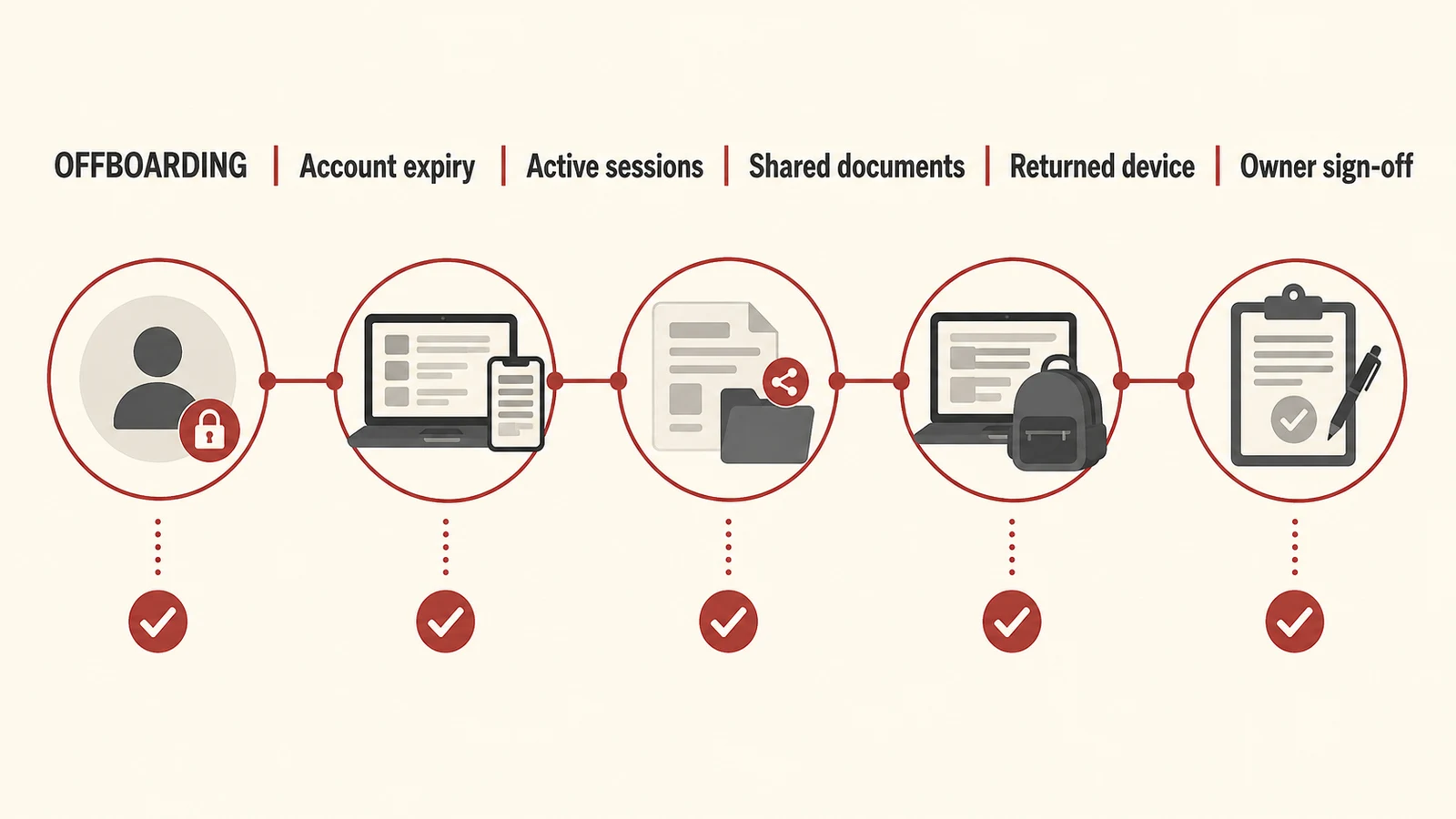
Offboarding is broader than disabling one account. Review application-specific logins, guest memberships, active sessions, document sharing, approved integrations, and devices issued for the assignment.
| Area | Completion check |
|---|---|
| Identity | Accounts and guest memberships are removed or disabled as appropriate |
| Sessions | Relevant active access is revoked according to the platform's capabilities |
| Documents | Sharing and project workspace access are reviewed |
| Applications | Separate accounts and elevated permissions are addressed |
| Devices | Issued equipment is returned or handled through the agreed process |
| Ownership | Work records and necessary responsibilities are handed over |
Revoking access does not automatically erase copies that were previously downloaded. Agree data handling and return or deletion obligations as part of the relationship, and use the controls appropriate to the information involved.
Check that the process works end to end
Run a sample contractor account through onboarding, a permission change, an extension, and offboarding. Confirm that the business sponsor and support team can see what happened.
Measure unresolved access reviews, expired assignments with active accounts, and time taken to complete removal. Use those findings to fix the process rather than collecting a report nobody acts on.
Contractor access should also connect to your risk and resilience planning, especially where a provider is essential to restoring a business application.
Common questions
Can contractors use their own devices?
That depends on the information, application capabilities, and controls required for the assignment. Define the conditions explicitly and provide a supported alternative when they cannot be met.
Is MFA enough?
MFA is one control. Access scope, ownership, device arrangements, review, and removal still matter throughout the assignment.
How often should access be reviewed?
Set the cadence around risk, assignment length, and changes in responsibility. Always review material role changes and the end of the work, rather than relying only on a calendar reminder.
Make contractor access easier to account for
Remova Tech's cybersecurity services help renewable-energy businesses protect accounts, devices, and business information. Ask us to review how contractor access is granted, checked, and removed across your systems.