Renewable Energy Guide
Renewable Energy Document Management: From EPC Handover to O&M
A project handover can contain thousands of files and still leave the operations team searching for the drawing or commissioning record it needs. Volume does not tell you whether the pack is complete, approved, or connected to the equipment now in service.
Renewable energy document management gives those records an organised lifecycle. It connects files to assets, identifies the current approved version, assigns ownership, and makes gaps visible before they become an operational problem.
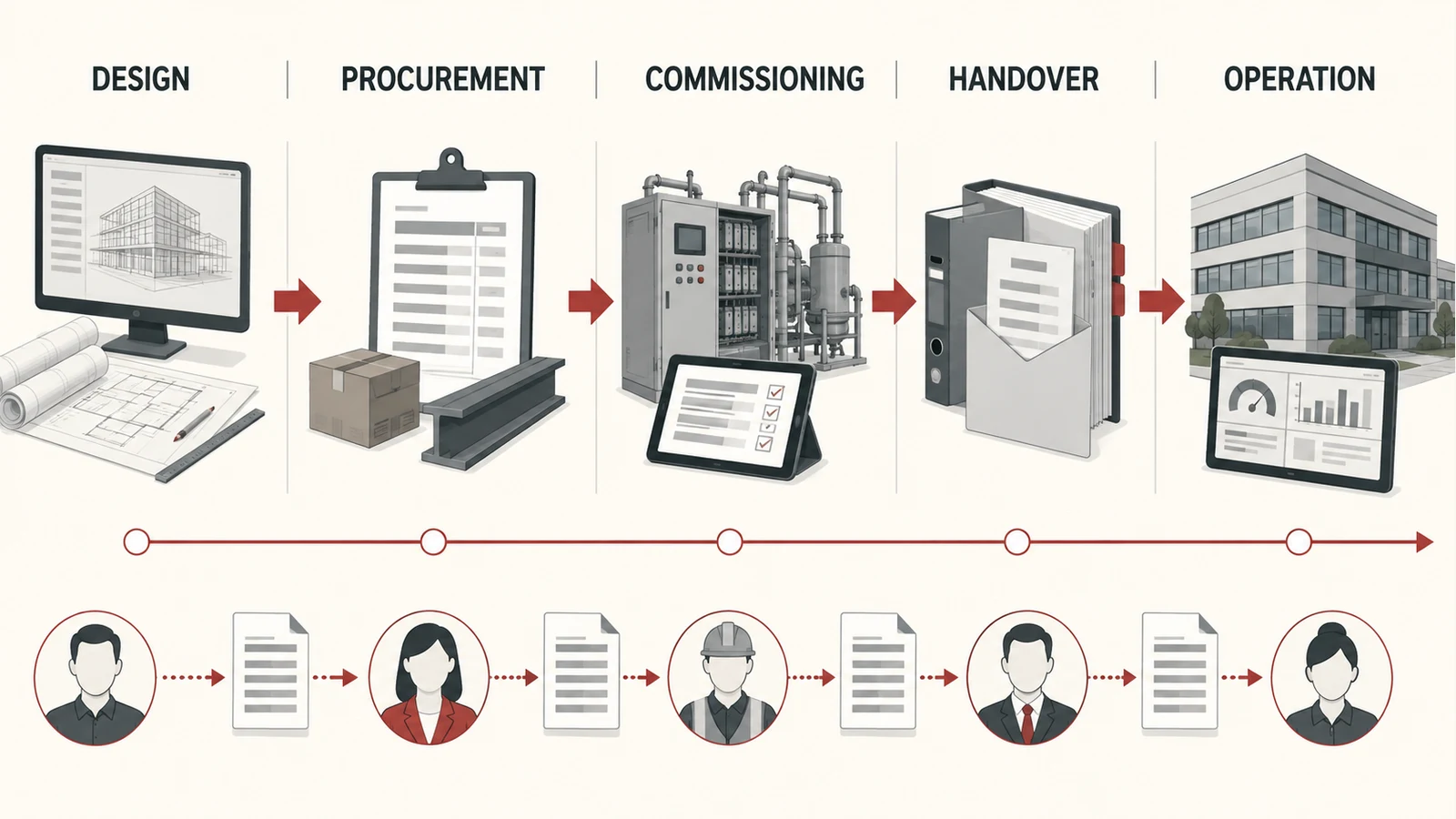
For engineering, procurement, and construction teams handing work to operations and maintenance, the strongest starting point is an agreed acceptance process. Decide which documents are required, who checks them, and what constitutes a usable handover.

Agree on the handover requirements early
Create the document register while the project is progressing, rather than assembling it from whatever appears at the end. Agree the required records with the people who will operate and maintain the assets.
SolarPower Europe's Lifecycle Quality guidance describes the connections between EPC, O&M, and asset management, including project stage gates and shared quality responsibilities. Its solar-specific framework provides a useful reference for designing a coordinated handover process. SolarPower Europe Lifecycle Quality overview.
Build your own requirements around the project, equipment, contracts, and applicable obligations. A practical register might include approved drawings, equipment manuals, commissioning records, warranties, maintenance information, and relevant training records.
For each required item, define the expected format, asset reference, responsible supplier, reviewer, and acceptance status. A file being received should be a distinct event from that file being accepted.
Link documents to the assets people recognise
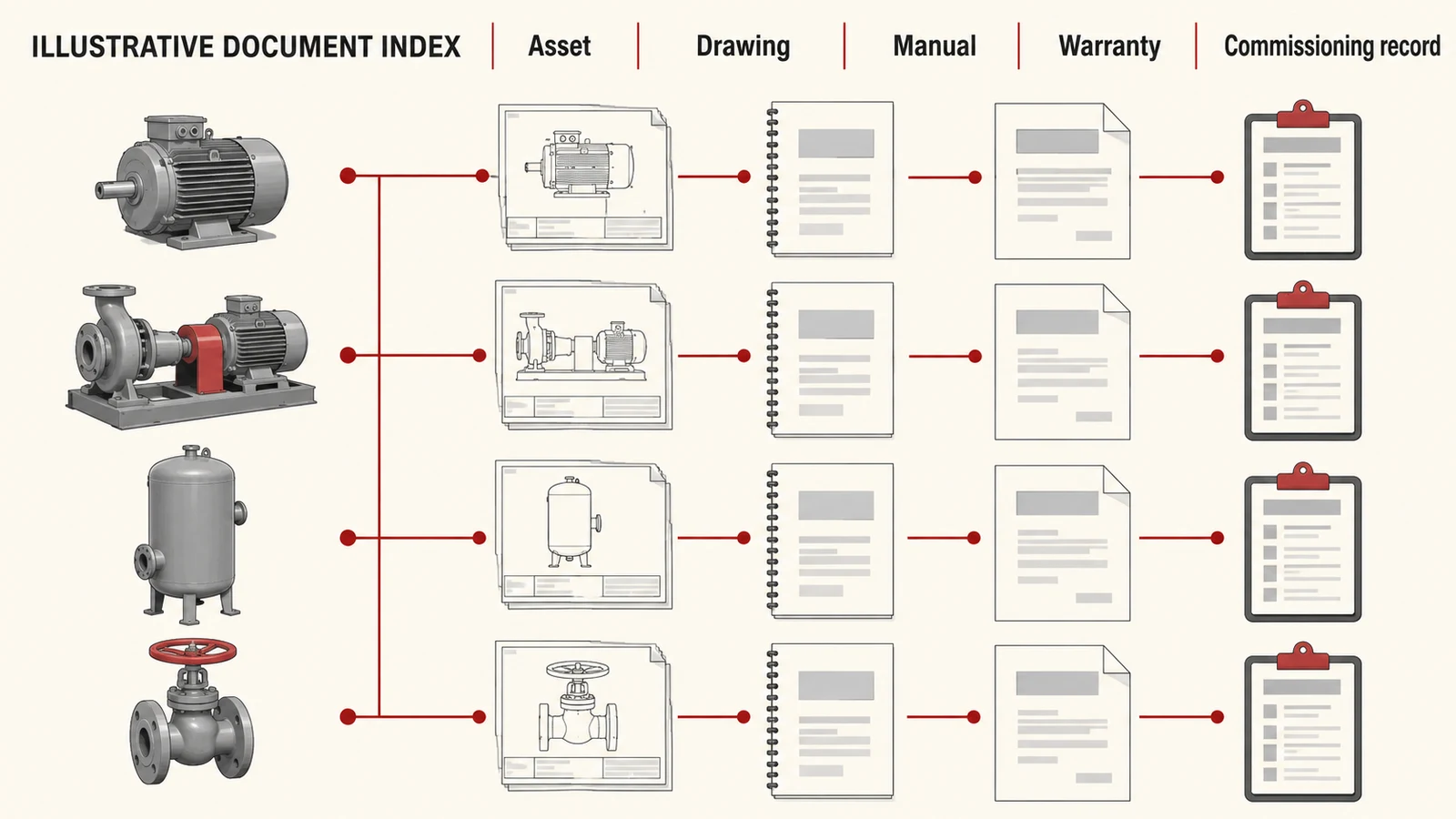
A folder structure helps people browse, but it should not be the only way to find information. Give each document structured references to its site, system, equipment, and document type.
For a fictional biogas facility, a maintenance planner searching for a pump should be able to find the applicable manual, approved drawing, and commissioning record from the asset reference. They should not need to know which subcontractor originally supplied each file.
Useful document fields include:
| Field | Purpose |
|---|---|
| Document identifier | A stable reference independent of the filename |
| Asset or system reference | Connects the record to the equipment or process |
| Document type | Distinguishes a manual, drawing, certificate, or other record |
| Revision and status | Identifies what is current and approved |
| Owner and reviewer | Shows who maintains and accepts the information |
| Source location | Provides access to the authoritative file |
Keep supplier references when they help trace the original material, but map them to the identifiers used by your operations team.
Separate received, reviewed, and approved documents
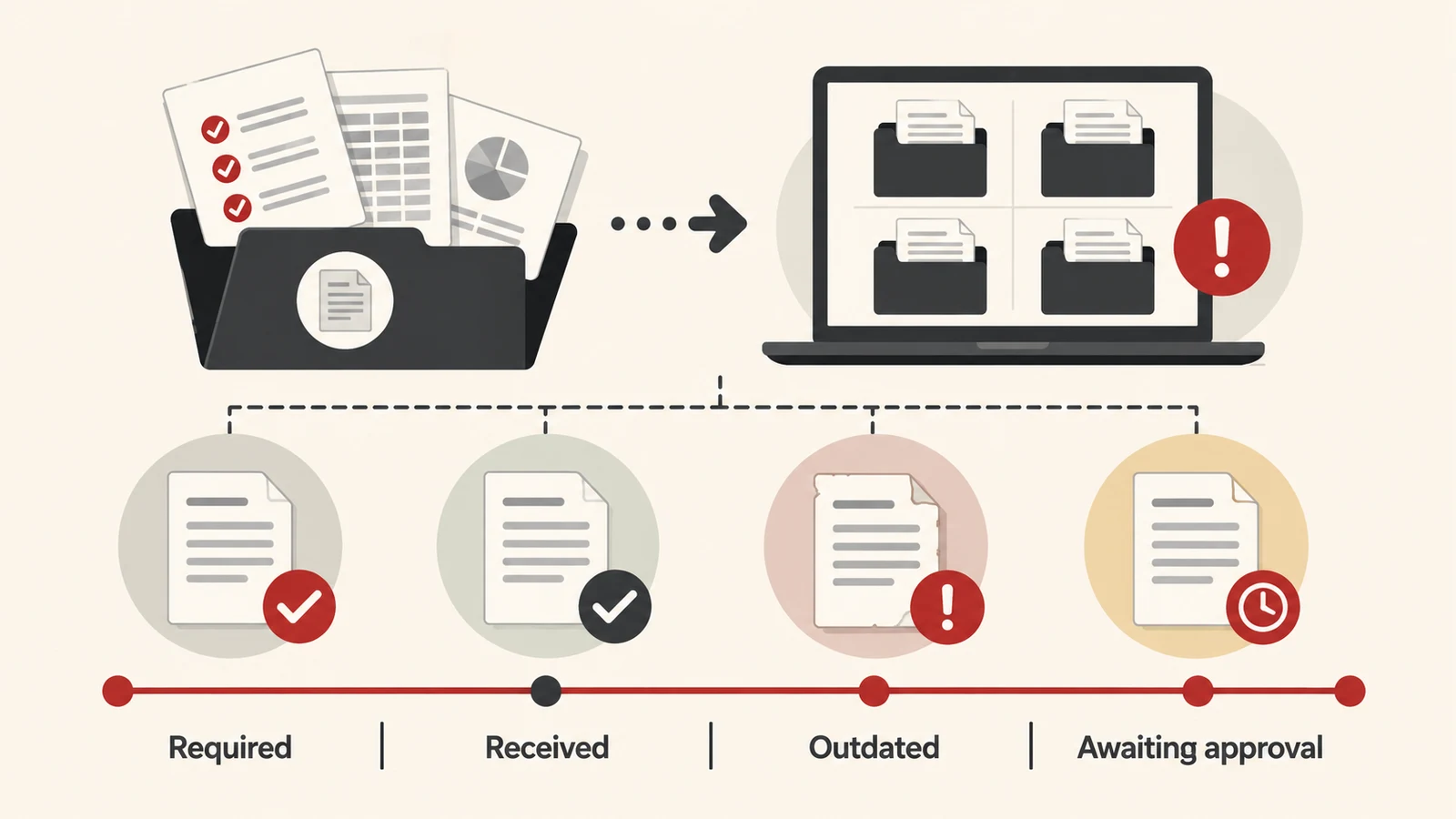
Use statuses that describe a real action. “Uploaded” means a file arrived. “Under review” means someone is checking it. “Approved” means the agreed acceptance process has been completed.
Assign an owner to every outstanding issue. If a manual does not match the installed equipment revision, record the mismatch and the person responsible for resolving it.
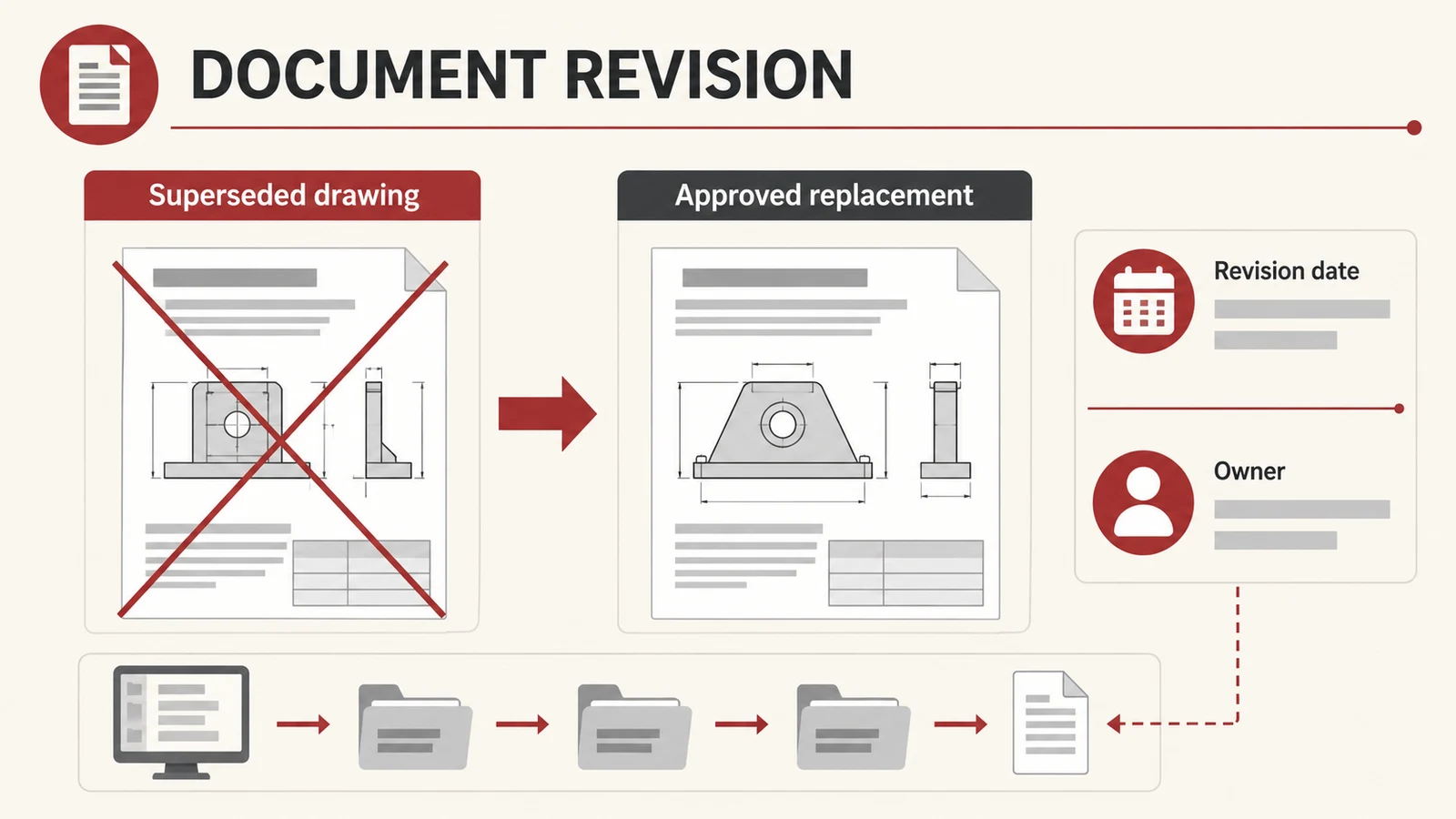
Avoid using a filename such as “final” as the approval mechanism. It does not establish who checked the content or whether a later revision superseded it.
Preserve the history when a document changes. Staff need a clear current version, while authorised users may also need to understand what was available at an earlier project stage.
Use automation to find and organise candidate information
Document automation can help identify file types, extract equipment references, suggest metadata, and compare the received collection with the expected register. It can also flag likely duplicate files or documents with missing revision information.
Treat the extracted fields as proposals until the workflow has established how they will be checked. A system reading a scanned cover page may confuse a document date with an approval date. Similar model names can lead to a plausible but incorrect asset match.
Show the source passage beside important extracted fields. Give reviewers a way to accept, correct, or reject the proposed value without losing the original file.
Our intelligent document processing guide explains the wider extraction and review process.
Make missing information actionable
Compare the expected document register with the received and accepted records. Group gaps by what they prevent the team from doing, then assign a next action.
For example, a fictional handover pack may contain a drawing for an earlier configuration and a commissioning record that does not identify the final asset. The workflow should show both issues, link to the relevant files, and identify who must supply or confirm the missing information.
A useful gap report distinguishes:
- Required information that has not been supplied.
- A received file awaiting review.
- A rejected document requiring correction.
- A superseded revision awaiting a replacement.
- An unresolved match between a document and an asset.
A simple file count cannot make these distinctions. Review completeness at the level of the requirement and the asset it serves.
Test the handover through ordinary operating tasks
Before accepting a pack, ask the receiving team to perform representative information-finding tasks. Can a planner locate the correct manual? Can someone identify the approved drawing? Can the team find the evidence associated with a commissioning record?
Check access from the locations and devices where the information will be used. A pack that works on the project manager's laptop may still be difficult to use from a field tablet or by an authorised service partner.
Record exceptions and the agreed treatment of incomplete items. Some may require resolution before acceptance; others may follow a documented outstanding-items process. The accountable project parties should define those conditions.
Maintain the document set after handover
Equipment replacements, modifications, warranty changes, and revised procedures can all affect the document collection. Assign responsibility for keeping the operational record current.
Define how a change creates a review task, who approves the replacement information, and how users learn that a previous version is no longer current. Include shared copies and offline access in the process.
Document access also belongs in your wider risk and resilience planning. Test whether the team can recover important records and understand which systems or suppliers it depends on to retrieve them.
Common questions
Do we need a new document management platform?
Not necessarily. An existing platform may support the necessary metadata, permissions, and review steps. Establish the register and workflow first, then identify what your current tools cannot handle reliably.
Can AI confirm that a handover pack is compliant?
An application can help compare files with an agreed checklist and identify possible gaps. Formal acceptance and any compliance conclusions require the appropriate evidence and accountable review for that project.
How is this different from an AI knowledge base?
Document management establishes which records exist, where they belong, and which versions are approved. A knowledge assistant helps people ask questions of that controlled collection. Reliable source management supports reliable answers.
Give operations a handover they can use
Remova Tech builds document and workflow applications for renewable-energy teams. Bring an example handover pack and the gaps your operations team keeps finding, and we can help design a clearer path from received files to usable records.